
The product
How Site Chronicle works
From a foreman’s phone to a commercial team’s evidence file: one site diary record, end to end. Practical on site, structured in the office.
Complete the daily record in minutes
Labour, plant, materials, weather and progress, copied forward from yesterday in one tap. Works with no signal and syncs the moment a bar returns.
- Works without signal: syncs when connection returns
- Photos & dockets straight into the entry
- Copy-from-yesterday for the repetitive bits
A full day, not a few lines
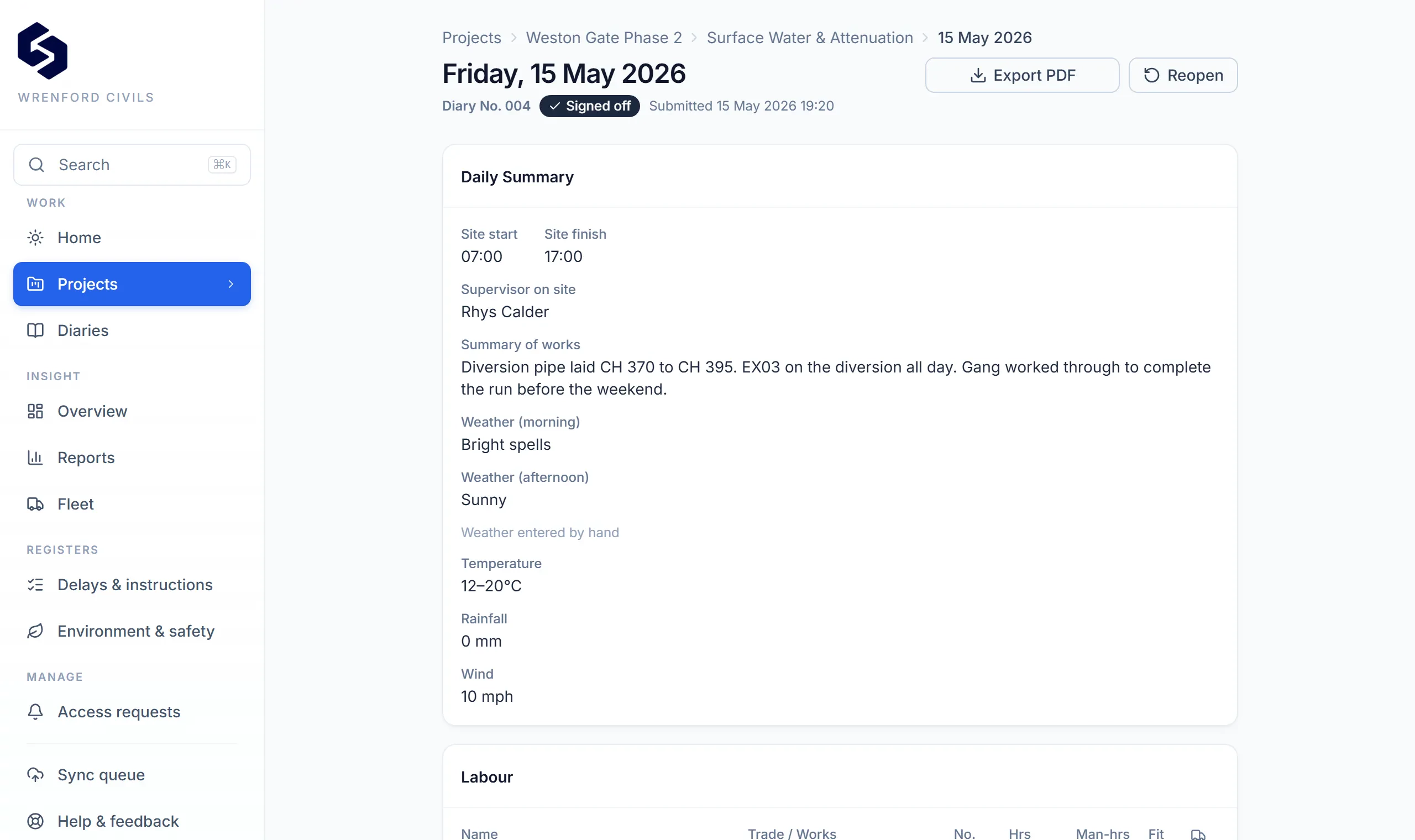
Progress logged against activities and quantities, with the labour and plant that did it: own, agency and subcontract crews, machines with fleet numbers and hours. The record a valuation or a measure is later checked against, captured as the work happens.
- Progress by activity, quantity and location
- Labour and plant with hours and fleet numbers
- Materials and deliveries against the day
- Weather auto-fetched; yesterday’s crew and plant copied forward in a tap
A day on site
Three minutes, spread across the day.
Feature lists are easy to compare. What matters on site is whether the record keeps moving when the signal disappears.
- 07:12
The diary opens itself
Last project and area remembered, weather pulled from the site’s own coordinates. Nothing to set up before you can start writing.
- 07:20
Yesterday’s gang, one tap
- 09:45
Materials late. The clock starts
- 11:30
No signal, in the cutting
- 16:48
Submitted, ready for client review
Area 3, Groundworks
- WeatherRain · 11°C
- AreaGroundworks
Delays, disruption & instructions: the day they happened
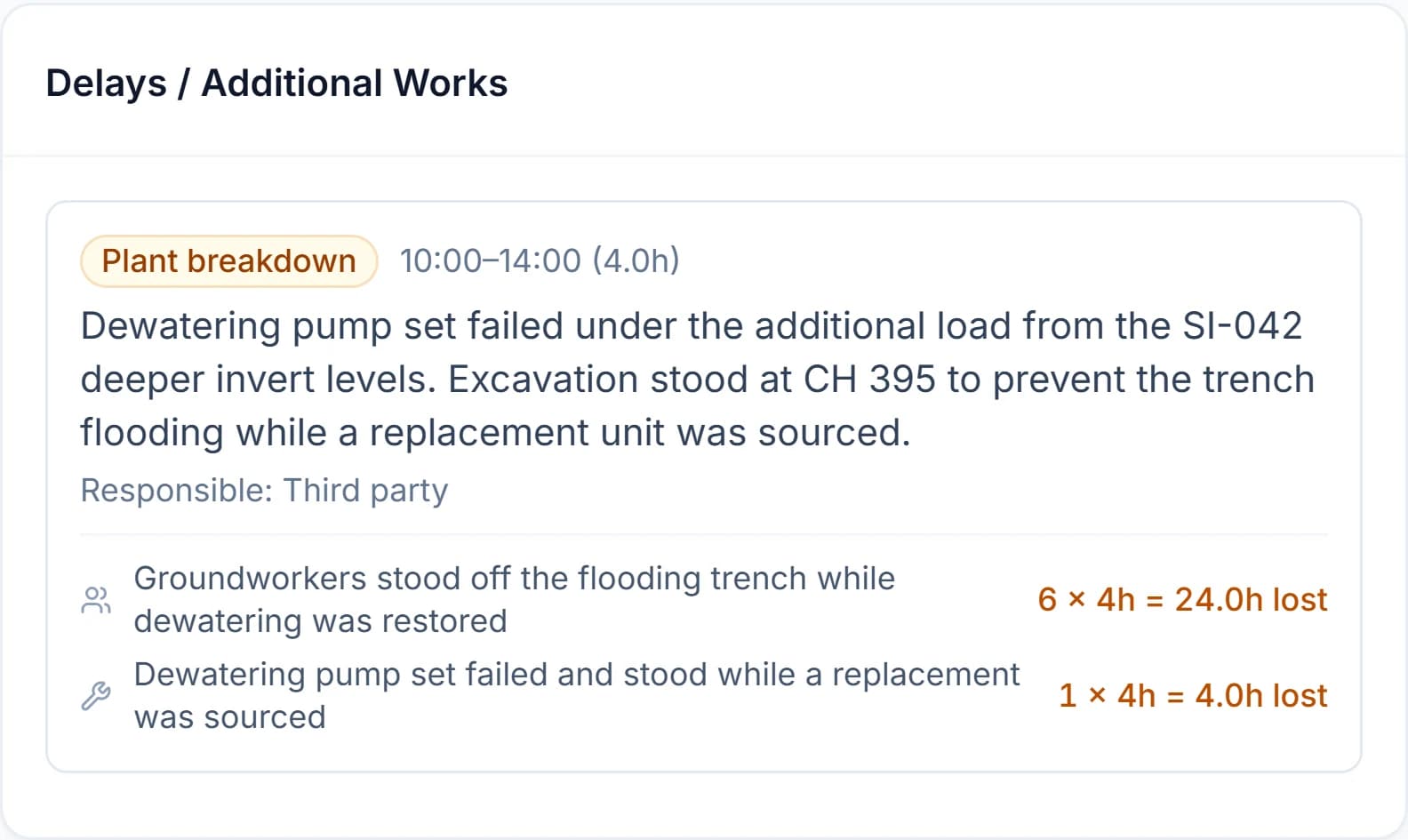
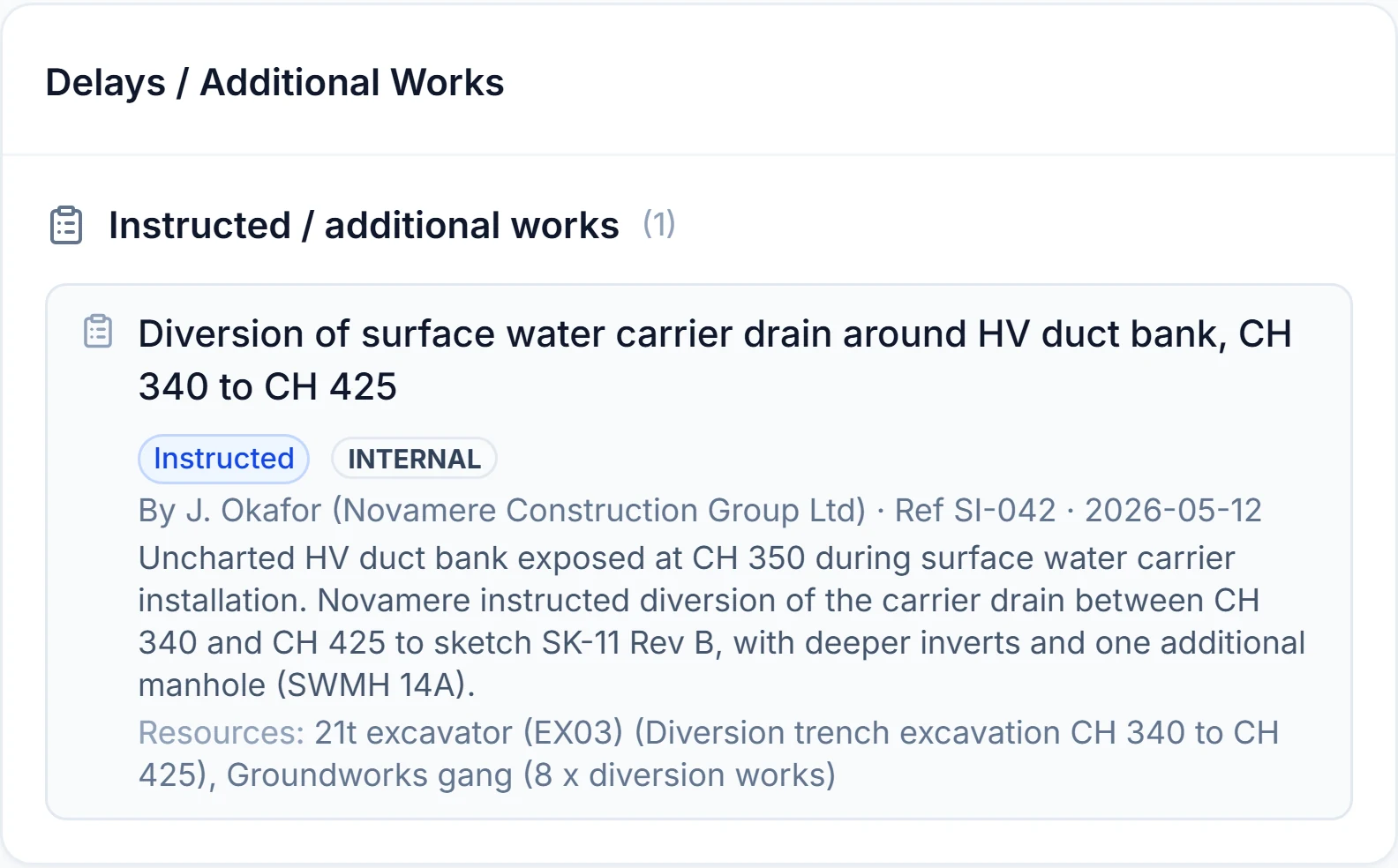
Every delay carries its times, cause and responsible party, and (mandatory) the labour and plant it affected. Verbal and written instructions go into a structured register with references and times, not a free-text box. This is what an NEC compensation event or a JCT loss-and-expense claim is later built from, recorded on the day, not reconstructed months later.
- Cause, responsible party and start/end times
- Affected labour and plant linked to the event
- Instructions logged with references, not lost in messages

When “it never happened” meets a dated record
The client’s representative reviews the day from a link and can acknowledge receipt, comment or raise a concern. The power isn’t a signature. It’s that the record, and any response to it, is contemporaneous: captured as the day unfolds, not assembled once a dispute has started.
- No-login review from a secure, expiring link
- Submitted diaries locked against editing, with an audited reopen trail
- Photo evidence attached to the event it supports

Monday morning, one glance
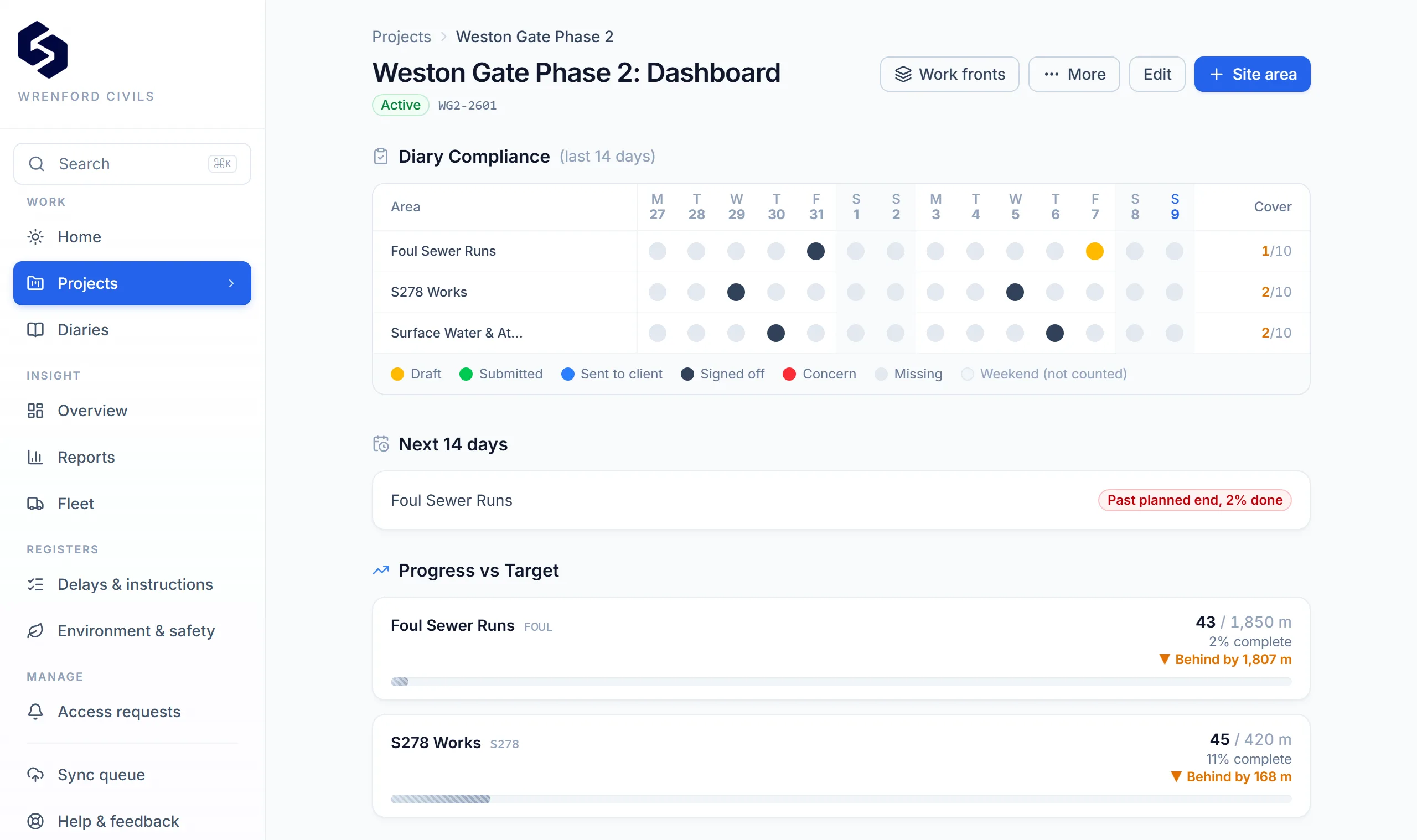
Who logged, who didn’t, what’s waiting on a client response, and which delays need commercial attention: the diaries your crews file on a phone become your management view.
- Diary compliance at a glance: who filed, who didn’t
- Programme progress against target, per area
- Delay & instruction registers with recurring-issue flags
Your records
Your records. Your control.
Everything your teams capture is yours: exportable at any time and under your control. Site Chronicle connects to the systems you already run rather than locking your records inside another platform.
- Role-based access: site users, management and admins each see the right level
- Signed webhooks that push diary and delay events into your systems
- Excel/CSV exports for BI and payroll; full export on request
- Client access to daily records by secure link, no login
Multi-company group? White-label branding and your own subdomain are available where agreed. See the product questions below.
Product questions
- Does it replace our project-management software?
- No, and it doesn’t try to. Site Chronicle is designed specifically around contractor site evidence and commercial records rather than replacing the whole project-management stack. It’s narrower on purpose: faster to implement, easier for site teams to adopt, and focused on the records that get tested commercially.
- How does offline working behave?
- Keep recording without signal and sync automatically when connection returns. Records and photos save on the device first; as with any offline system, unsynchronised work on a device that is lost or damaged before it syncs cannot be recovered.
- Does client acknowledgement create contractual acceptance?
- A client representative can acknowledge, comment on or dispute the daily record. Acknowledgement confirms receipt and does not by itself constitute contractual acceptance of liability, value, delay or entitlement. Its strength is contemporaneity: the record and any response to it are dated on or near the day it happened.
- How is our data separated from other companies?
- Each company is a separate tenant. Company and project data are separated using database-level access controls, including PostgreSQL row-level security, together with role-based permissions. The primary database and evidence-file storage are hosted in London. Some supporting providers may process limited data elsewhere, as explained in our Privacy Notice. Photos and drawings are served via short-lived signed links rather than public URLs.
- Who owns the records?
- You do. Your projects, diaries, photos and reports can be exported at any time: one click for PDF and Excel, full export on request. If you leave, your records go with you.
- What about integrations and white-labelling?
- Available where they’re needed: signed webhooks that push diary and delay events into your own systems, Excel/CSV exports for BI and payroll, and white-label branding for multi-company groups.
Free 30-Day Pilot
Prove it on one live project
One live project. Thirty days. Full setup, onboarding and evidence reviews, free for selected contractors. No card required.
Prefer a guided walkthrough first?
Book a demo, 15 or 30 minutes, whichever suits, and we’ll show you a real diary, a client acknowledgement and an evidence report on your kind of work.
You can also start with a Free Evidence Health Check, or try the dispute room.
Already a customer? Sign in.